Circular Progress Screen

A loading screen fills the display exactly the way installing update progress does on a real computer, a percentage climbing, a spinner turning, a message warning not to turn the device off. It’s built purely for the prank, nothing on the actual device is affected.
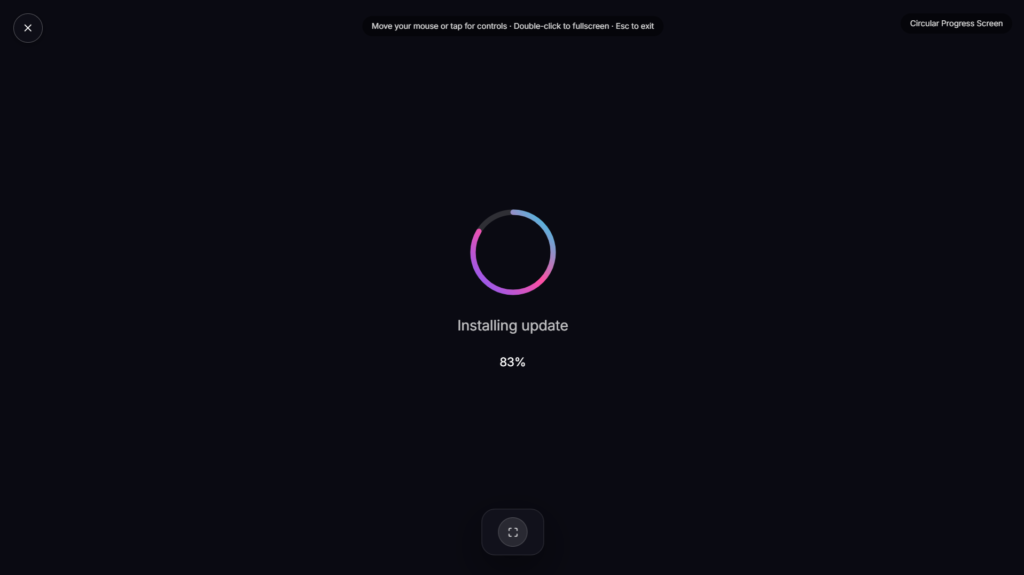
What Makes This Loading Animation Convincing
The details are what sell a fake update prank like this. Some of the most convincing versions of this prank online use the actual system fonts Microsoft ships with Windows, and replicate the real boot spinner by cycling through the exact same sequence of characters the genuine spinner uses, timed at the same speed as Windows Update itself. Small touches carry a lot of weight here: a percentage that occasionally pauses or ticks up unevenly reads as far more authentic than one that climbs in perfectly smooth, even increments, since real installing update processes rarely progress at a constant rate. That kind of attention to the loading animation itself, not just the progress bar and message text, is what separates a prank someone glances at and dismisses from one that actually holds up under a closer look.
How to Run the Prank Convincingly
Set it running while the person is away from their device, then let it sit for however long feels right before revealing the joke. The progress bar climbing steadily, occasionally slowing down the way installing update processes on a real system sometimes do, adds to the illusion far more than a screen that instantly jumps to 100%.
Using This Responsibly
This prank works best on people who won’t panic over the idea of losing unsaved work, and it’s worth skipping entirely on a shared work computer where someone might genuinely believe they’re at risk of losing something important. A quick reveal once the joke has landed matters more here than with a purely visual prank, since this kind of joke can genuinely worry someone if left running too long, especially at work. If a fake damage effect appeals more than a fake update, LCD Liquid Damage or Broken Screen cover that instead.
FAQ
Does this actually install anything on my device?
No, it’s a purely visual loading screen running in your browser. Nothing is downloaded, updated, or changed on the actual device.
How is this different from a real Windows update screen?
Visually, a well-made version can look very close to the real thing. Functionally, there’s no difference at all, this one does nothing besides display an animation.
Can I set how long the loading animation runs?
Most versions of this prank let you set a duration or a starting percentage before you begin, so you can control how long the update screen appears to run.
Will this work on someone’s phone as well as a computer?
Yes, it renders as a fullscreen loading screen in any modern browser, so it displays the same way on either.
What happens if the person tries to close the browser tab during the prank?
Closing the tab ends it immediately, same as closing any other webpage, there’s no lockout or trick preventing them from exiting if they get suspicious.
Does the person being pranked need to be connected to the internet for this to work?
Yes, since it’s a webpage rather than an installed program, their device needs a working connection to load it in the first place, though nothing continues running or checking in afterward.
Does it work if the person tries clicking or pressing keys during the loading screen?
Most versions ignore input entirely while running, mimicking how a real system update typically locks out interaction until it finishes, which adds to the illusion that something is genuinely in progress.


