Ring Light

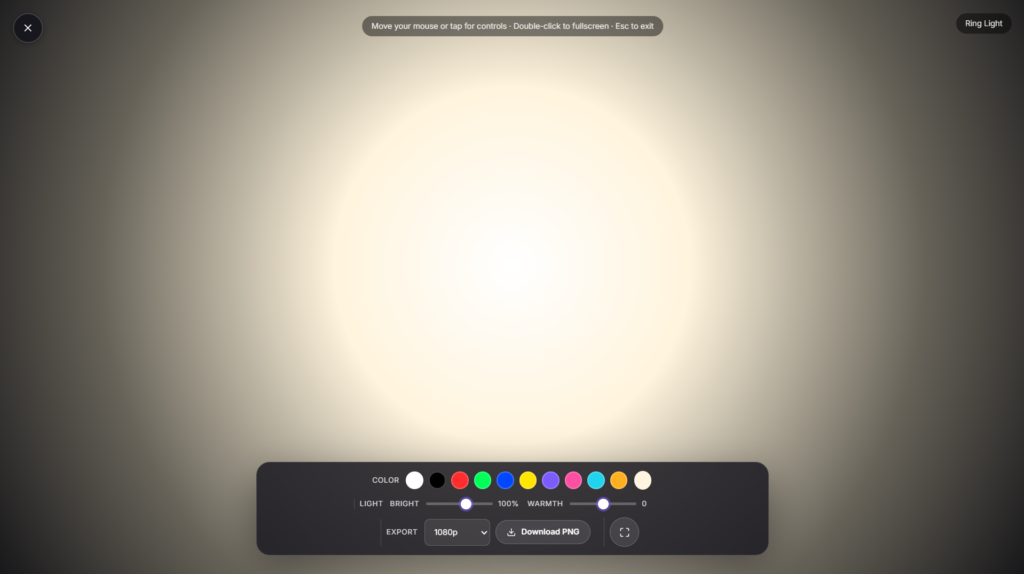
Turn your phone, tablet, laptop, or monitor into a virtual ring light in one click. It fills your screen with a bright ring of even light around your camera, giving you the soft, shadow-free glow ring lights are known for, without buying one.
What a ring light actually does
A real ring light is a circular light that mounts around or behind a camera lens. Because the light surrounds the lens, shadows fall directly behind the subject where the camera can’t see them, which is what gives ring-light photos and video that flat, even, shadow-free look beauty and makeup content relies on.
It’s also what creates the circular catchlight, the small ring-shaped reflection in someone’s eyes that’s become a recognizable marker of polished video content.
This tool recreates that effect using your screen instead of a physical ring. Position your camera at the center of the display, adjust the brightness and warmth, and the glow around it lights your face the same way.
How to use it
- Click Launch fullscreen above.
- Center your webcam or phone camera in the middle of the ring.
- Adjust brightness and color temperature until your face is evenly lit with no harsh shadows.
- Press F or double-click for true browser fullscreen, and Esc any time to exit.
It works the same way in any modern browser, on a laptop, phone, tablet, or monitor, with no plugin or install required.
Warm or cool: which color temperature to pick
Warmer light (around 2700 to 3200K) mimics candlelight and tungsten bulbs, and tends to flatter skin tones with a cozy, intimate feel. Cooler light (around 5500 to 6500K) mimics daylight and is more accurate for color sensitive work like product shots or anything where true skin tone matters.
Most beauty and video call content lands somewhere in between, slightly warm to neutral, as a balance between flattering and accurate. There’s no single right answer here; it depends on your skin tone, your room’s existing lighting, and what you’re using it for, so it’s worth testing a couple of tones before you settle.
Ring light vs. other tools
A ring light gives frontal, shadow free light, flatter but very even. If you want more depth and natural-looking shadow instead (better suited to portraits than beauty content), Softbox Light produces directional light from one side rather than surrounding the lens. If you just want raw brightness without the ring shape, a White Screen does that. And for a softer, room-filling glow rather than a face light, Ambient Light is built for that instead. If you want full manual control over one exact shade, lets you dial in the hue, brightness, and warmth yourself.
Positioning tips
- Mount the ring at eye level with your camera centered inside it, this is what creates the catchlight and removes under eye shadows.
- Tilt the light down slightly if you want a touch more shadow under the jaw for definition.
- Move further from the screen to soften the light and lower intensity; move closer for a brighter, more visible catchlight.
- For long calls or streams, keep your device plugged in, since full brightness at fullscreen uses noticeably more battery than normal.
Common uses
- Video calls — even lighting for Zoom, Google Meet, or Teams without a physical light on your desk.
- Content creation — selfies, TikToks, and YouTube videos shot straight off a phone or laptop screen.
- Makeup and beauty content — the flat, shadow-free look ring lights are best known for.
- Streaming setups — paired with a focus timer if you’re running long sessions and want to track time between segments.
FAQ
Do I need a real ring light if I have this?
For casual video calls, streaming, or content creation, this covers most of what a physical ring light does. For professional studio work, a dedicated light still gives more consistent output and a bigger light source.
What color temperature should I use?
Warmer tones (2700 to 3200K) suit cozy, flattering looks; cooler tones (5500 to 6500K) suit accurate, daylight-style lighting. Slightly warm to neutral works for most video calls.
Will this work on my phone?
Yes, any modern phone browser can run it, just center your front camera in the middle of the ring.
Does it use a lot of battery?
Fullscreen at high brightness uses more power than normal screen brightness. Fine for short calls; plug in for longer streaming sessions.
Is it free?
Yes, completely free, no signup or download required.


