Fake Windows Update Screen

A fake Windows update screen takes over the display, a percentage climbing, a spinner turning, the same “don’t turn off your PC” warning real updates show. It’s a fake update screen built purely for the prank, nothing on the actual device is touched.
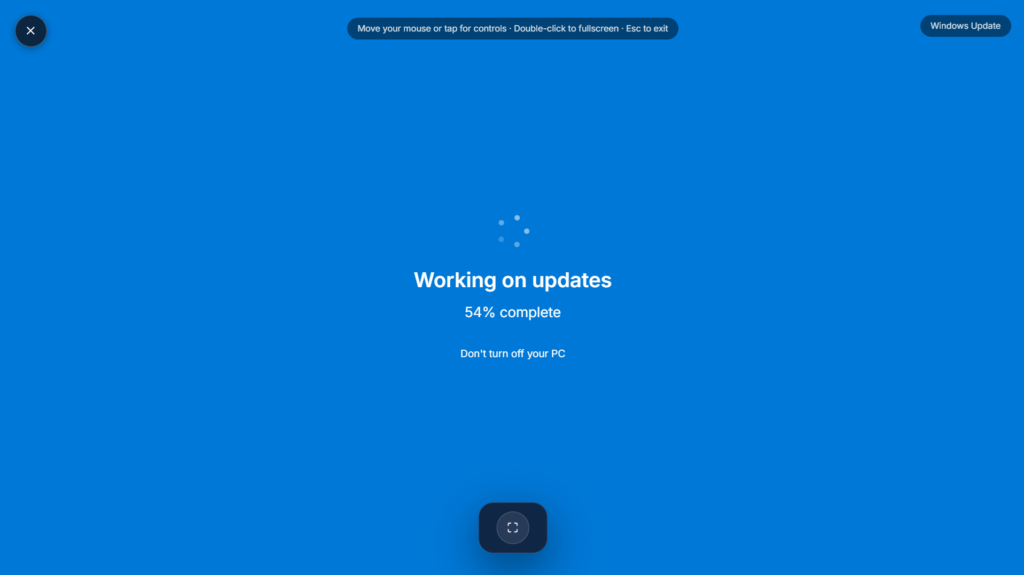
Why This Windows Update Screen Holds Up to Scrutiny
Genuinely convincing versions of this prank borrow real details rather than guessing: the actual fonts Microsoft uses across Windows, the familiar boot spinner animation, and update phrasing lifted almost word for word from what a real system shows. A fake full update that jumps straight to 99% and sits there, or one that occasionally stalls before ticking forward again, tends to read as far more believable than a smooth, evenly climbing bar, since real updates rarely progress at a constant pace.
Picking the Right Windows Update Screen Style
Different Windows versions have distinct visual styles worth matching to your target’s actual setup, an outdated look immediately breaks the illusion if the person is running something newer. Most tools like this offer a choice between recent versions and older, more nostalgic styles going back as far as Windows XP, so it’s worth picking the one that actually matches the device you’re pranking rather than whichever looks most dramatic. Some versions even chain into a fake Blue Screen of Death once the fake update finishes, pushing the joke one step further for anyone who’s still watching by that point.
Using This Responsibly
This works best on people who won’t panic over the idea of losing unsaved work, and it’s worth skipping entirely on a shared work computer or right before something time-sensitive, a deadline, a presentation, a meeting about to start. A quick reveal once the joke lands matters more here than with a purely visual prank, since believing a forced update is underway can genuinely stress someone out if it runs too long, particularly anyone who’s already anxious about their device or their work being interrupted. If you’d rather keep it more generic and less Windows-specific, Loading Screen is the broader version of the same idea. For a fake damage effect instead of a fake update, LCD Liquid Damage or Broken Screen are worth a look too.
FAQ
Does this actually update or change anything on the device?
No, it’s a purely visual effect running in a browser tab. Nothing is downloaded, installed, or modified on the actual system.
Can I pick which Windows version it mimics?
Most versions of this prank let you choose between several Windows styles, so you can match whichever one looks right for the situation.
What happens if the person tries pressing keys or clicking during it?
Most builds ignore input while running, matching how a real update typically locks out interaction until it finishes.
Is there a way to make it end in something dramatic, like a fake crash screen?
Some versions of this prank chain into a fake error or crash screen once the update finishes, worth checking if that option is available before you commit to using it.
Will this work the same on a Mac as it does on Windows?
It displays fine in any modern browser regardless of the device, though the illusion obviously depends on running a Windows-styled prank on an actual Windows machine.
Does the person need an internet connection for it to load?
Yes, since it’s a webpage rather than installed software, it needs to load once over a connection, though nothing continues running afterward.
Does it look different on a phone browser compared to a laptop?
The layout generally scales to fit whatever screen it’s running on, though the illusion works best on a laptop or desktop since that’s what most people associate with a genuine Windows update in the first place.


