Shattered Display

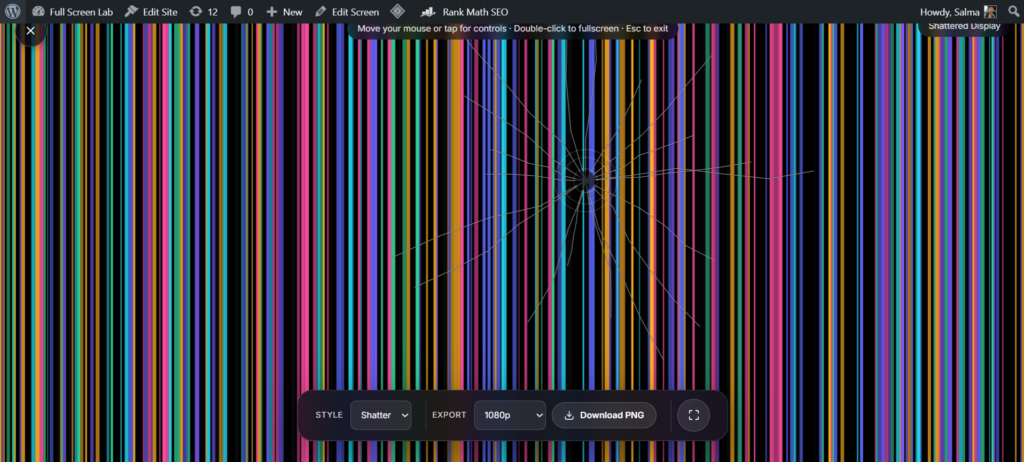
The Shattered Display is a free, full-screen browser tool – Broken LCD color bars with a radiating glass-shatter crack. It runs entirely in your browser, needs no install or sign-up, and renders locally so nothing you see is uploaded anywhere.
How to use the Shattered Display
- Click Launch fullscreen below.
- Use the on-screen controls (they fade in when you move your mouse or tap) to adjust color, speed or timing.
- Press F or double-click the screen for true browser fullscreen, and Esc any time to exit.
Why use shattered display?
Whether you’re on a call, recording, streaming, working, or just need a quick full-screen effect, the Shattered Display is ready in one click – no downloads, no watermark, and it works on any device with a modern browser.
Shattered Display vs Broken Screen
Both use a cracked-glass look, so the difference comes down to timing. Shattered Display shows a single, already-fractured radiating crack layered with broken LCD color bars the instant it loads, full damage from the first frame, nothing to interact with. Broken Screen does the opposite: it starts clean and lets you tap to add more cracks, spreading the damage a bit at a time. If you want a screen that already looks wrecked the second it loads, this is the one. If you’d rather build the crack up yourself, use Broken Screen.
Why Cracked LCDs Show Rainbow Color Bands
A physical crack in a screen usually damages more than just the glass, it can disrupt the thin electrical pathways underneath that tell each pixel’s liquid crystals which color to show. Pixels that lose that signal don’t simply go dark, they render unpredictable colors instead, purples, greens, and blues that have nothing to do with whatever was actually on screen. That’s why a real cracked LCD often shows solid bands of color radiating from the impact point alongside the crack lines themselves, and it’s exactly what Shattered Display recreates: the crack pattern plus that same rainbow color-bar noise, rather than just fracture lines on their own.
Getting the Most Out of It as a Prank
- Use it when you want the reaction to the damage itself, not the process of it happening. Everything is already “broken” the moment the page loads.
- Pair it with a believable excuse for why you’re staring at a wrecked screen. Dropped it, sat on it, whatever fits the moment.
- Use it on a shared or borrowed device rather than something the person would panic about the cost of replacing.
- If you’d rather the crack build up live in front of someone instead of appearing instantly, Broken Screen is built for that pacing instead.
Who This Is Built For
This suits pranksters who want the shock of an already-wrecked screen rather than a slow reveal, streamers who want an instant “the monitor just died” visual gag, and anyone who wants to test how convincing a full-damage crack effect looks before using it. If you’d rather control the pacing and watch the cracks spread yourself, Broken Screen does that instead. And if a crack isn’t the specific look you’re after, Acid Damage Screen or Liquid Damage recreate corrosion and spill damage rather than glass fracture.
FAQ
How is this different from Broken Screen?
Broken Screen starts clean and lets you tap to add cracks gradually. Shattered Display shows the full damage instantly, a radiating crack plus broken color bars, with nothing to interact with.
Does this actually damage my screen?
No. It’s a purely visual overlay rendered in your browser. Nothing touches your display hardware, and closing the tab returns everything to normal immediately.
Why does it show color bands, not just crack lines?
Real cracked LCDs often show rainbow colored bands alongside the crack itself, caused by damage to the pixel control wiring beneath the glass. This effect recreates both parts together rather than just drawing fracture lines.
Do I need to download anything?
No. It runs directly in your browser, nothing to install, nothing left behind after you close the tab.
Is any of my data collected while I use it?
No. Everything renders locally, and FullScreenLab doesn’t collect, store, or upload usage data from the tool itself.
Will this work on my phone?
Yes, it renders the same way in any modern mobile browser as it does on a laptop or desktop.
Can I adjust how severe the crack looks?
Yes, the on screen controls that fade in when you move your mouse or tap let you adjust color, speed, and timing before you use it.
More Prank Screens

Broken Screen
Cracked glass, tap to shatter more
White Noise / TV Static
Classic black & white static
Acid Damage Screen
Toxic yellow-green broken LCD with a torn peeling corner
Signal Glitch
RGB-split video tearing, like a dying signal
Hacker Typer
Fake code, type on your keyboard