Matrix Rain

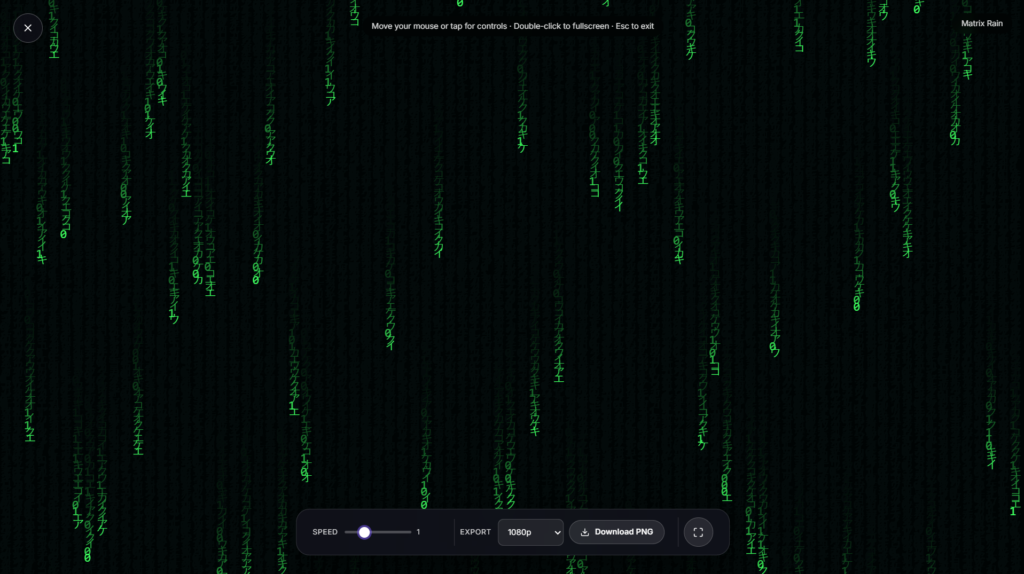
Columns of green characters fall steadily down a black screen, fading and changing as they go, the falling code look popularized by The Matrix films in 1999, running live in your browser rather than as a screensaver you install.
Where Matrix Rain Actually Comes From
The effect is properly called digital rain, designed for the original film by production designer Simon Whitely. The character set mixes half width Japanese katakana, Latin letters, and numerals, reportedly sourced in part from characters in his wife’s Japanese cookbooks and hand adjusted for the film.
The reversed, mirrored letterforms and the fluorescent green glow were meant to evoke old monochrome computer terminals, giving the falling text a distinctly dated, screen burned quality rather than a clean, modern typeface.
How This Matrix Rain Animation Works
Each column runs independently, dropping a new character at its own pace and swapping out old ones as it goes, so no two columns fall in sync. A brighter character usually sits at the leading edge of each column with a fading trail behind it, mimicking the way the original effect trails off rather than cutting characters cleanly.
Depending on the settings available on the page, you can typically switch between katakana style characters, plain numerals, or a custom set of your own, and adjust the color away from the classic green if you’d rather run it in another tone entirely.
Using Matrix Rain as a Background
This suits a tech themed desktop background, a stream overlay for coding or hacking adjacent content, or just something to run in a dark room for the aesthetic. If a moving grid feels closer to what you’re after, Neon Grid leans into that retro tech direction instead. For a calmer, more open night-sky feel, Starfield is the gentler pick. And if you want something with no motion or “code” aesthetic at all, Candle Flame sits at the opposite end of the set.
Tips for Running Matrix Rain
- Use it in a dark room, the green glow and black background lose their contrast fast under normal room lighting.
- If your setup lets you customize the character set, try swapping in your own text or symbols for a more personal version of the effect.
- Keep it on a secondary monitor or a background tab if you want the look without it taking over your main workspace.
- Full black and green contrast at high brightness can be a lot for extended viewing, dim your screen a notch if you’re running it for a long stretch.
FAQ
Is this official Matrix or Warner Bros. content?
No. This recreates the well known digital rain visual style, it isn’t licensed or affiliated with the film franchise in any way.
What characters does the rain actually use?
Traditionally a mix of half width Japanese katakana, Latin letters, and numbers, though many versions of this effect, including customizable ones, let you swap in numerals only or your own custom text.
Do I need to download anything to run it?
No, it plays directly in your browser as a page, nothing to install.
Can I change the color from green?
Depending on the controls available, yes, many digital rain tools support switching to other colors beyond the classic green.
Does this use a lot of battery?
A dark background with bright accents is generally lighter on battery than an all-white display, though any animation draws more than a static, idle screen.
Is it free to use?
Yes, no signup required, no watermark, and absolutely no cost at all.
Is anything I do here stored or sent anywhere?
No, it runs entirely in your browser tab with nothing transmitted to a server.


