No Signal

The No Signal is a free, full screen browser tool Retro colour bar static. It runs entirely in your browser, needs no install or sign up, and renders locally so nothing you see is uploaded anywhere.
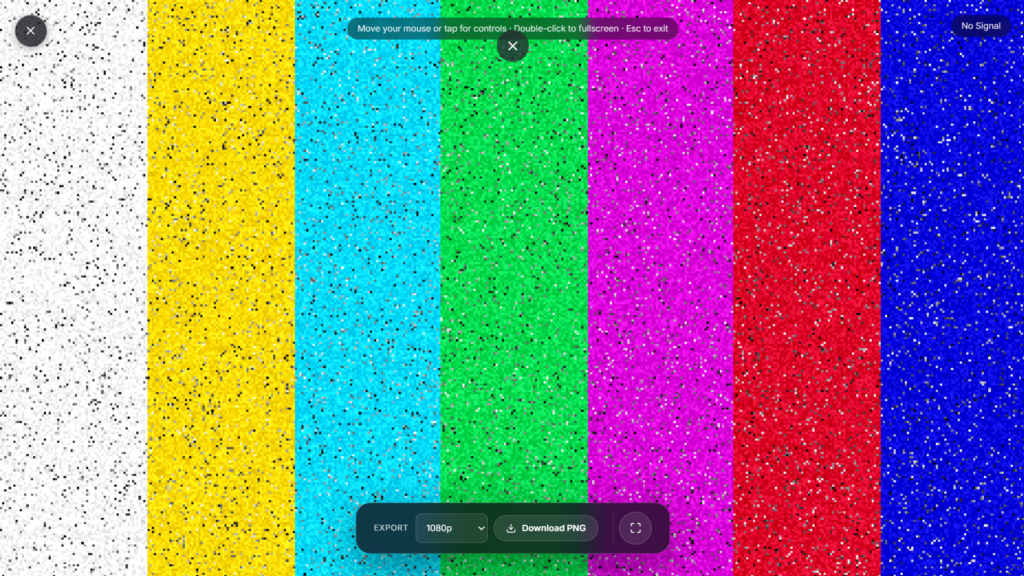
The No Signal is a free, full-screen browser tool Retro colour bar static. It runs entirely in your browser, needs no install or sign up, and renders locally so nothing you see is uploaded anywhere. How to use the No Signal
- Click Launch fullscreen below.
- Use the on screen controls (they fade in when you move your mouse or tap) to adjust color, speed or timing.
- Press F or double click the screen for true browser fullscreen, and Esc any time to exit.
Why use no signal? Whether you’re on a call, recording, streaming, working, or just need a quick full screen effect, the No Signal is ready in one click no downloads, no watermark, and it works on any device with a modern browser.
No Signal vs White Noise
Both recreate the look of a TV that’s lost its signal, so it’s worth knowing which one you actually want. No Signal uses the classic colour-bar test pattern breaking up into static, the retro broadcast look with red, blue, and green bars dissolving into noise. White Noise skips the colour bars entirely for plain black-and-white snow, a flatter, more clinical “dead channel” look with nothing else on screen. If you want the recognizable retro broadcast identity, use this one. If you just want pure static with nothing else going on, White Noise is the plainer version.
What Real Color Bars Are For
SMPTE color bars aren’t a decorative pattern, they’re a real broadcast test signal, originally developed by engineers at RCA and CBS and later standardized by the Society of Motion Picture and Television Engineers, used by TV stations and studios to calibrate color, brightness, and contrast across equipment before a broadcast went out. When a channel lost signal or a broadcast day ended, stations often fell back to a test pattern like this, or plain static, rather than leaving the screen black, which is why “colour bars breaking into static” reads as such a specific, recognizable “something’s off the air” cue rather than a generic error look. No Signal recreates that exact lineage: the calibration pattern collapsing into noise, the same sequence older TVs actually showed.
Common Ways People Use No Signal
Because it carries real broadcast history in its look, it gets used as more than a prank. Streamers and video editors use it as an authentic-feeling “we’ll be right back” or off-air card between segments. Retro tech enthusiasts run it as a screensaver or desk ambience piece for a CRT-and-cable aesthetic setup. Found-footage and retro-styled video projects use it for transitions that need to look genuinely archival rather than digitally styled. And it still works as a quick prank the same way White Noise does, left running on a screen before someone gets back to their desk.
FAQ
How is this different from White Noise?
White Noise is plain black-and-white static with no color bars. No Signal shows the retro colour-bar test pattern breaking into static, the more recognizable “off-air” broadcast look.
Are these real SMPTE color bars, or just colored stripes?
They’re modeled on the real SMPTE test pattern, the same red, blue, and green bar layout TV stations actually used to calibrate broadcasts, not an invented design.
Does it make sound?
No, it’s a silent visual effect by default. Real color-bar broadcasts often paired the pattern with a steady reference tone for audio calibration, but that’s not part of this effect.
Do I need to download anything?
No. It runs directly in your browser, nothing to install, nothing left behind after you close the tab.
Is any of my data collected while I use it?
No. Everything renders locally, and FullScreenLab doesn’t collect, store, or upload usage data from the tool itself.
Will this work on my phone?
Yes, it renders the same way in any modern mobile browser as it does on a laptop or desktop.
Can I use this as an actual desktop screensaver, not just a prank?
Yes, plenty of people run it purely for the retro broadcast look rather than as a joke, it’s filed under Screensavers for exactly that reason.


