Flip Clock

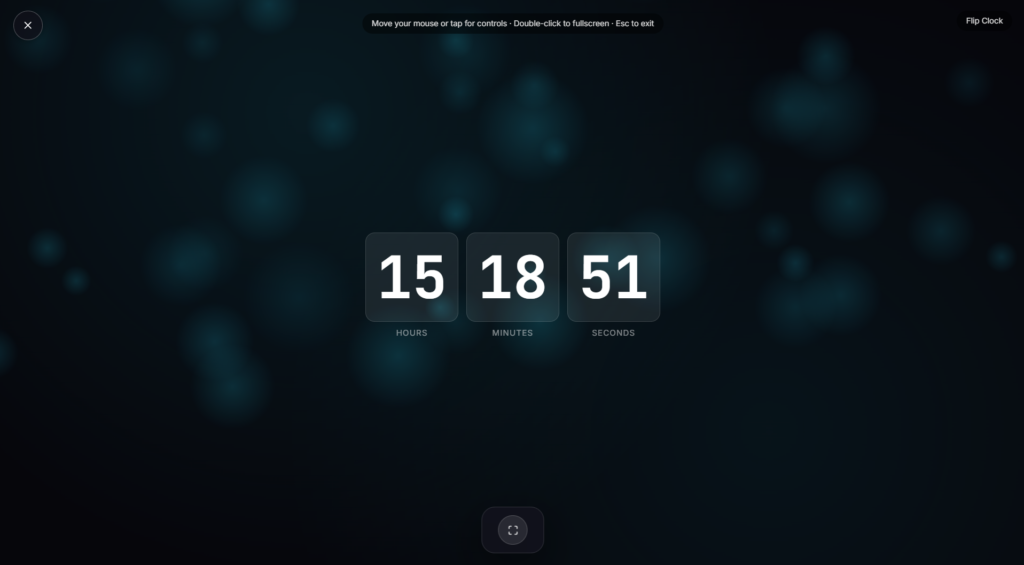
Each digit flips down to reveal the next one, the same mechanical rhythm airport and train station boards have run on for decades, recreated here as a fullscreen flip clock you can pull up on any screen in one click.
Where the Flip Clock Design Comes From
The flip clock traces back to 1890, when German inventor Josef Pallweber patented a design using rotating drums of double-sided plates to show hours and minutes, a real departure from the analog clock faces of the time.
The look most people picture today, small cards flipping over one at a time, comes from the split-flap display mechanism the Italian company Solari di Udine patented in 1956, later used across train stations and airports worldwide as flight and departure boards. By the 1970s the same mechanism had shrunk down into household desk and alarm clocks, becoming a defining piece of mid century design.
How This Flip Clock Works
Rather than a mechanical drum or physical card, this version times a flip animation to trigger the moment your device’s system clock ticks over to the next minute or second, so the display always matches real time rather than an internal timer. Depending on the settings available on the page, you can typically switch between 12 and 24-hour format, toggle whether seconds are shown, and run it fullscreen on a second monitor, TV, or spare tablet as an ambient time display.
Where a Flip Clock Fits Alongside a Timer
A flip clock is built to show the current time continuously rather than count down, which makes it a natural desk or second monitor display rather than a work session tool on its own. If you’re structuring actual work blocks with breaks, a Pomodoro Timer is the better fit, and the two pair well side by side, one showing the time of day, the other tracking a session. If you want something to look at that isn’t functional at all, Candle Flame or Aurora Waves sit at the purely ambient end of the collection instead.
Everyday Uses for a Flip Clock
- Desk or second monitor clock: always visible time without opening a phone or a taskbar clock.
- Presentations and meetings: a large, easy to read display projected on a screen.
- Streaming overlays: a retro styled time element for a desk or studio setup on camera.
- Classrooms and offices: a clear, distraction-free time display visible from across a room.
FAQ
Does this run on my device’s actual clock, or its own timer?
Your device’s system clock, so it always reflects the correct current time rather than drifting on its own.
Can I switch between 12-hour and 24-hour format?
Most flip clock tools like this offer both formats as a toggle, along with the option to show or hide seconds
Do I need to install anything?
No, it runs as a page in your browser, nothing to download beforehand.
Can I put this on a second monitor or TV?
Yes, fullscreen mode is built for exactly that, projecting a large, clear time display on any external screen.
Will this drain my laptop’s battery if I leave it running?
A continuously animating display uses a bit more power than a static screen, worth keeping plugged in if you’re leaving it running for hours.
Does it cost anything?
No, it’s free, with no account or signup required.
Is any of my data collected while I use it?
No, it runs locally in your browser using your device’s own clock, with nothing sent to a server.
Can I use this as an alarm clock?
Since it’s built to display time rather than trigger a sound, it works better as a passive visual clock than a wake up alarm, though some builds may include a simple alert feature.


