Prompt Stream

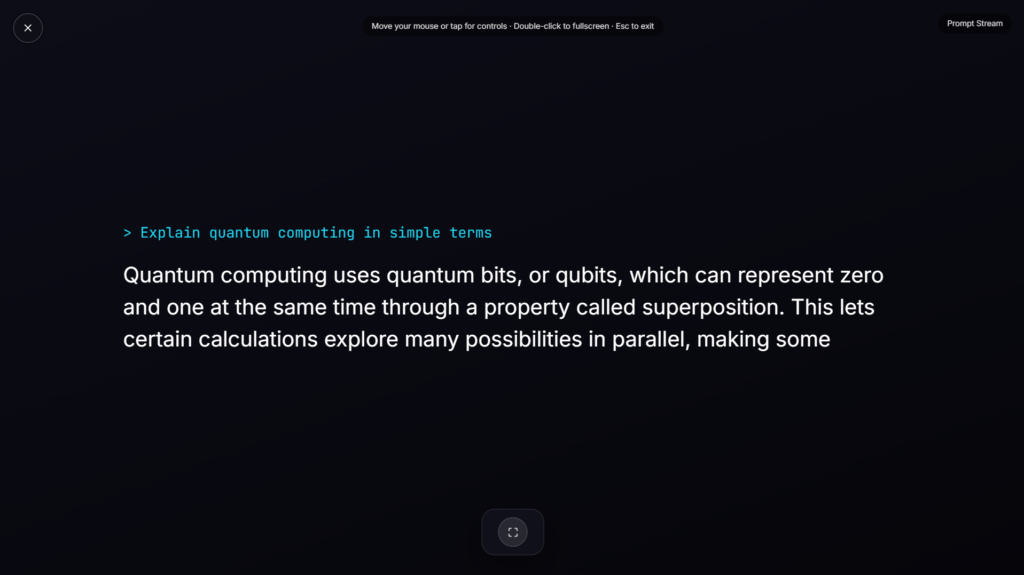
A typing text effect prints words onto the screen one character at a time, complete with a blinking cursor trailing behind, the same rhythm you’d recognize from watching ChatGPT or a similar AI assistant compose a response in real time.
Why This Typing Animation Feels So Familiar
The real ChatGPT typing effect isn’t purely decorative. Behind the scenes, it typically relies on Server-Sent Events, a web technology that streams a response from the server piece by piece rather than waiting for the entire answer to finish generating before showing anything. Displaying each word as it arrives keeps a person engaged during the wait rather than staring at a blank, unresponsive screen, since a model can take several seconds to fully generate a longer answer. This typing text effect recreates that same word-by-word rhythm visually, even without an actual AI generating anything behind it.
What Makes a Convincing Typing Simulator
Small details separate a flat, mechanical typing animation from one that reads as natural. Slightly varying the delay between characters, rather than a perfectly even interval, mimics the natural unevenness of real typing or generation speed. A blinking cursor, a nod to decades of computer terminal design, adds a sense of something actively being written rather than a static block of text simply fading in.
Common Ways People Use a Typing Text Effect
This works well as a presentation opener, a dramatic reveal for a video, a mock chat interface for a demo, or a stylized intro for content about AI tools. It’s also a common choice for illustrating what an AI assistant interaction looks like without needing a real, working chatbot behind the scenes. If you’d rather have a different AI-themed visual instead of text appearing on screen, Voice Assistant shows a listening waveform orb, and Robot Face offers a blinking avatar instead. For a scanning-style effect rather than typed text, AI Content Scan covers that ground too.
FAQ
Is this connected to a real AI model generating text?
No, it’s a scripted animation rather than a live AI response, the text and timing are set in advance rather than generated in real time.
Can I set my own custom text for the typing effect?
Depending on the build, many typing animation tools let you enter your own text rather than using a fixed default message.
Would this work well as a loading state for a real chatbot I’m building?
It could serve as visual inspiration for the timing and cursor style, though a production chatbot would need its own real streaming implementation rather than a scripted animation like this one.
Do I need to download anything?
No, it runs directly in your browser, nothing to install.
Can I adjust the typing speed?
Most versions let you control how quickly each character appears, along with whether the cursor blinks continuously or only while paused.
Will this work on my phone?
Yes, it renders the same in any modern mobile browser as it does on a laptop or desktop.
Is any of my data collected while I use it?
No, it runs locally in your browser with nothing uploaded.
Why does the text sometimes pause mid-sentence rather than typing at a constant speed?
That variable pacing is intentional, real AI generation and human typing both speed up and slow down unevenly, so a fixed, metronome-like pace actually reads as less convincing than one with small, natural-feeling pauses.
More AI & Machine Learning

Neural Network
Animated node & synapse graph, drifting and pulsing
Deploying Model
Terminal-style ML deploy log
Model Training
Animated epoch progress for a training stream
AI Typing Indicator
Fullscreen "AI is typing..." bounce dots for chatbot demos
AI Content Scan
Scanning line detecting AI-generated content