Adjustable Timer

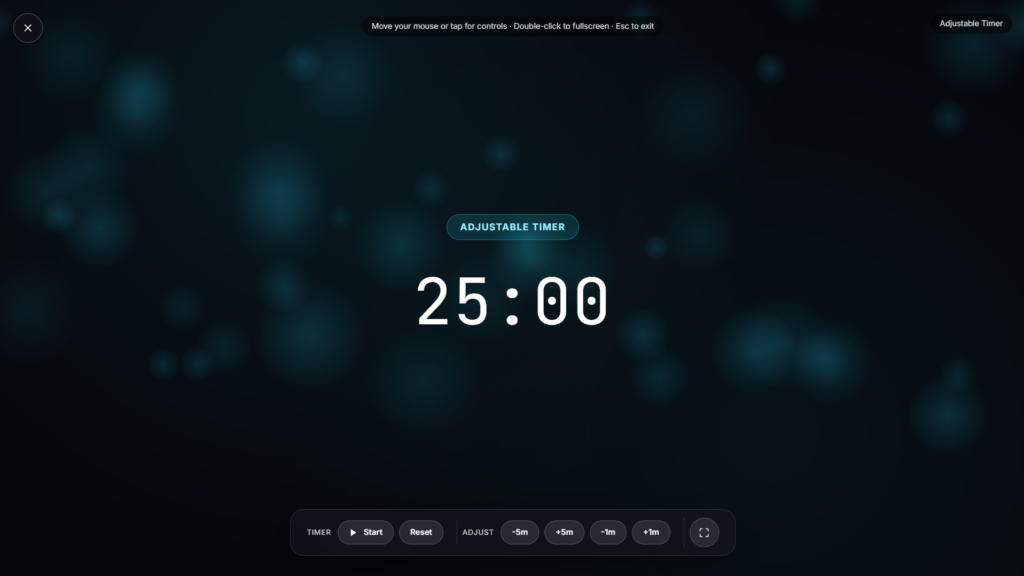
Set the exact length you need, hours, minutes, or seconds, and run it fullscreen so the countdown is visible from across a room. No fixed presets forcing you into someone else’s idea of a work block or a rest period.
Why Adjustability Matters More Than It Sounds
Plenty of timers online ship with a handful of fixed presets, 5 minutes, 15, 25, built around whatever the most common use case happens to be. That works fine until your task doesn’t fit the mold: a 7-minute stretch break, a 40-minute reading block, an 18-minute egg boil for a specific recipe. Rounding a real task to the nearest preset can also throw off your sense of time perception during the task itself, a countdown that doesn’t match your actual plan is easy to tune out. An adjustable timer skips that guesswork and just lets you enter the number you actually want.
How to Set It Up
Enter your hours, minutes, and seconds directly, or use a quick preset if one happens to match what you need, then start the countdown and switch to fullscreen for a large, clearly visible display. Depending on the version you’re using, you can typically pause and resume mid-countdown, reset it back to your original setting, and get a visual or sound cue once time runs out.
Common Uses for an Adjustable Timer
- Work sessions: any custom length, not just the standard Pomodoro block.
- Workouts and intervals: exact rest and effort periods for your own interval training routine rather than someone else’s default split.
- Cooking: precise timing for a recipe that calls for something other than a round number.
- Presentations and talks: a visible countdown for a Q&A window or a speaking slot.
- Classrooms: a shared, easy to read countdown for an activity or a test.
Adjustable Timer vs a Fixed Work Timer
If you specifically want structured work-and-break cycles rather than a single custom countdown, a Pomodoro Timer is built around that exact rhythm. If what you actually need is the current time rather than a countdown, a Flip Clock covers that instead. This tool sits in between the two: more flexible than a fixed-interval timer, but still purpose-built for counting down rather than showing the time of day.
FAQ
What’s the longest duration I can set?
Most adjustable timers like this support durations well beyond an hour, often up to 99 hours, so it covers everything from a quick task to a multi hour session.
Can I pause it partway through?
Typically yes, a pause and resume control is standard on most adjustable timer tools, letting you stop and continue without losing your remaining time.
Does it make a sound when time runs out?
Depending on the build, an audio or visual alert usually plays once the countdown hits zero, useful if you’re not looking directly at the screen.
Do I need to download an app?
No, it runs as a page in your browser, nothing to install.
Can I use this on my phone during a workout?
Yes, it works the same in a mobile browser, useful for interval training away from a desk.
Is there a cost to use it?
No, it’s free, no signup required.
Is my activity or timer data stored anywhere?
No, it runs locally in your browser tab with nothing sent to a server.
Can I run more than one adjustable timer at once?
That depends on the specific build, some versions support multiple simultaneous timers for things like cooking several dishes with different durations, while others are built around a single active countdown at a time.
More Productivity & Timers

Daily Gratitude
Gentle prompts to pause and appreciate today
Distraction-Free Pomodoro
Minimal auto-cycling work/break timer
Stopwatch
Count-up stopwatch with lap tracking
Women Power
Quotes celebrating women's strength & ambition
Custom Countdown
Adjustable countdown for any event